Put Your Photo on a Gray Background
Upload a photo, cut out the subject, and set it on gray or grey. Choose light, medium or charcoal, then download.
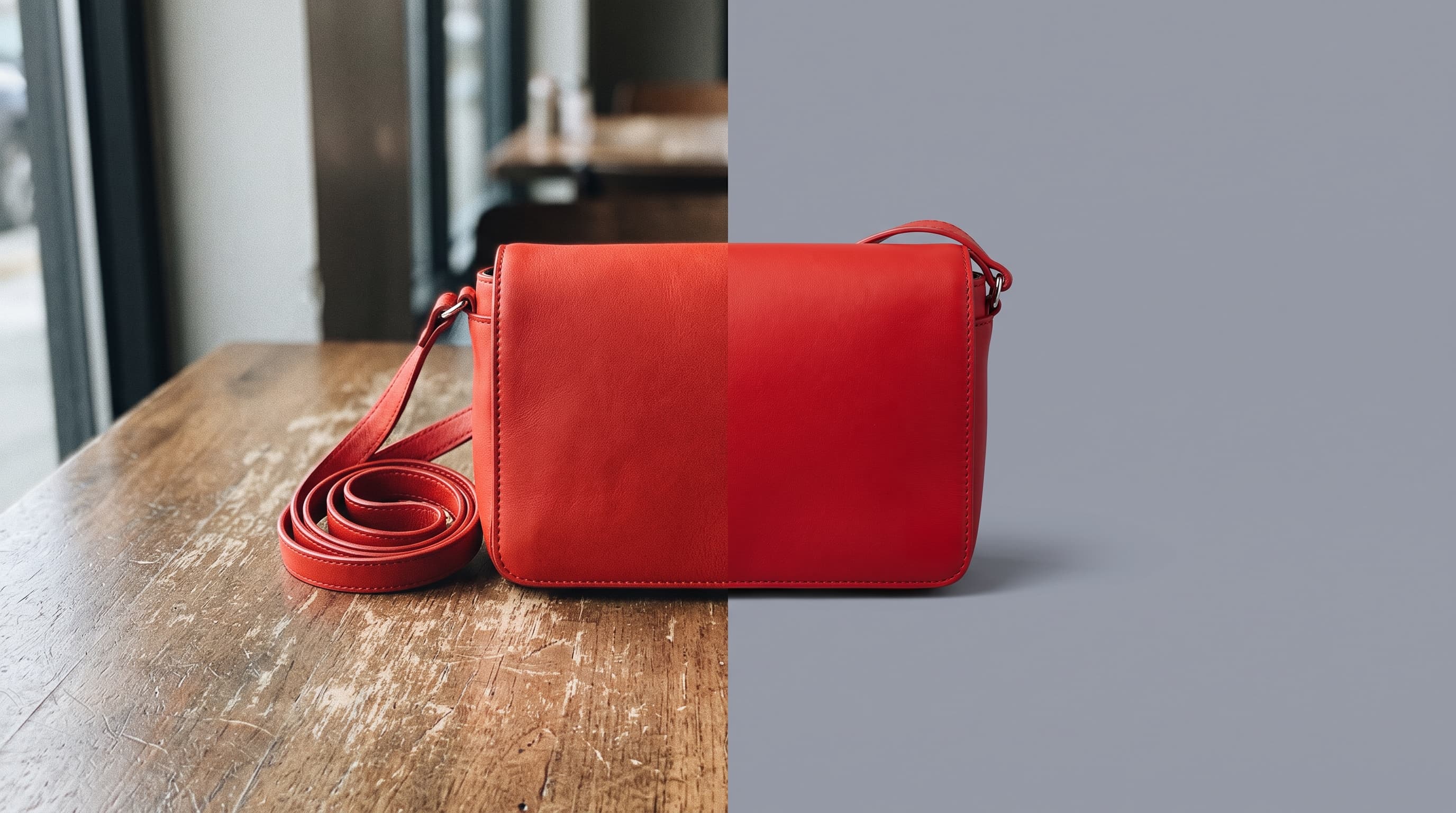
Using a gray background
Gray is the neutral that never competes
A gray backdrop stays out of the way, so bright and colorful products carry the image. It is the safe choice when you do not want the background to say anything.
Light, medium or charcoal gray
Light gray (around #e5e7eb) is the soft studio look used by many catalogs. Medium gray (around #9ca3af) gives strong contrast to white and bright items. Charcoal (around #374151) feels moody and suits metal and tech.
Gray or grey
Gray is the US spelling and grey is the UK and international one. They are the same colors, so the swatches and hex codes on this page work for both.
Where gray works best
- Catalog and lookbook photosLight gray keeps a whole range consistent when white feels too stark.
- Headshots and team pagesA medium gray is a neutral, professional backdrop for profile photos.
- Colorful productsRed, yellow and teal items look vivid on a quiet gray field.
- Tech and toolsCharcoal gray fits headphones, cameras and hardware.
More background colors
Pick any shade in the Change Background Color tool, or start from a color below. Marketplace main images usually need pure white, so use the white background tool for those.
Upload the photo, let the tool cut out the subject, then pick the gray swatch or choose any shade of gray with the color picker. Download a JPG.