eBay Listing Photos: How to Take Pictures That Get Used Items Sold
Table of Contents
An eBay buyer is trusting a stranger with money for something they cannot hold. Your photos are the only inspection they get. Clear, honest photos of the exact item turn "is this legit?" into "yes, buy it now", and they reduce the "not as described" claims that eat into profit.
This guide covers eBay's own photo rules, the shot list that works for used items, how to show flaws without losing the sale, and a fast edit for a clean main image. It is built for phone photography. For the general setup, start with the product photography at home guide.
Resize for eBay listings, free in your browser
Try it freeeBay's photo rules, in one place
These come from eBay's own help page on adding pictures to listings, as checked in October 2026. eBay changes its rules from time to time, so confirm them there before you list.
| Rule | What eBay says |
|---|---|
| Minimum size | 500 x 500 pixels |
| Recommended size | About 1600 x 1600 pixels |
| Shape | 1:1 or 16:9 look best in listings |
| Number of photos | Up to 24 |
| File size | Up to 12 MB each |
| File types | JPEG, PNG, GIF, TIFF, BMP, WEBP, HEIC or AVIF |
| Background | White backgrounds are generally best |
| Overlays | Do not add badges, logos, copyright notices or watermarks |
| Stock photos | You cannot use a catalog or stock photo for an item listed as used |
The practical takeaway is simple. Shoot big, keep it square, use a plain background and photograph the real item. Our eBay listing photo size guide resizes to a square at the recommended size in one step.
Set up a simple photo station
You do not need much. A permanent spot saves more time than any gadget, because you stop rebuilding the setup for each item.
- A window. Soft daylight with no direct sun. Turn off room lights to avoid mixed color. See the lighting guide.
- A plain surface. A white bedsheet, poster board or a sheet of foam board. A light grey wall works for hanging items. Backdrops covers sweeps and paper.
- A way to hold the phone steady. A tripod or a stack of books, and the 2x lens a little further back.
- A tape measure. It is the cheapest "scale" prop there is, and it doubles as your measurements for the description.
A light box is worth building if you sell small things such as cameras, watches, cards or jewelry, since it gives even light and a clean background in 30 minutes.
The shot list for used items
Buyers of used items look for four things: the item, the condition, what is included and how big it is. Cover all four every time.
- Main photo, face-on. The whole item, centered, straight on, with a margin. eBay's own advice is a face-on main photo, and it is also the image shown in search.
- Back, sides, top and bottom. One photo for every side a buyer might ask about.
- Labels and markings. Model numbers, serial plates, brand tags and tags with size or material.
- Every flaw, up close. Scratches, dents, stains, wear and missing parts. Photograph them in sharp light so they are obvious.
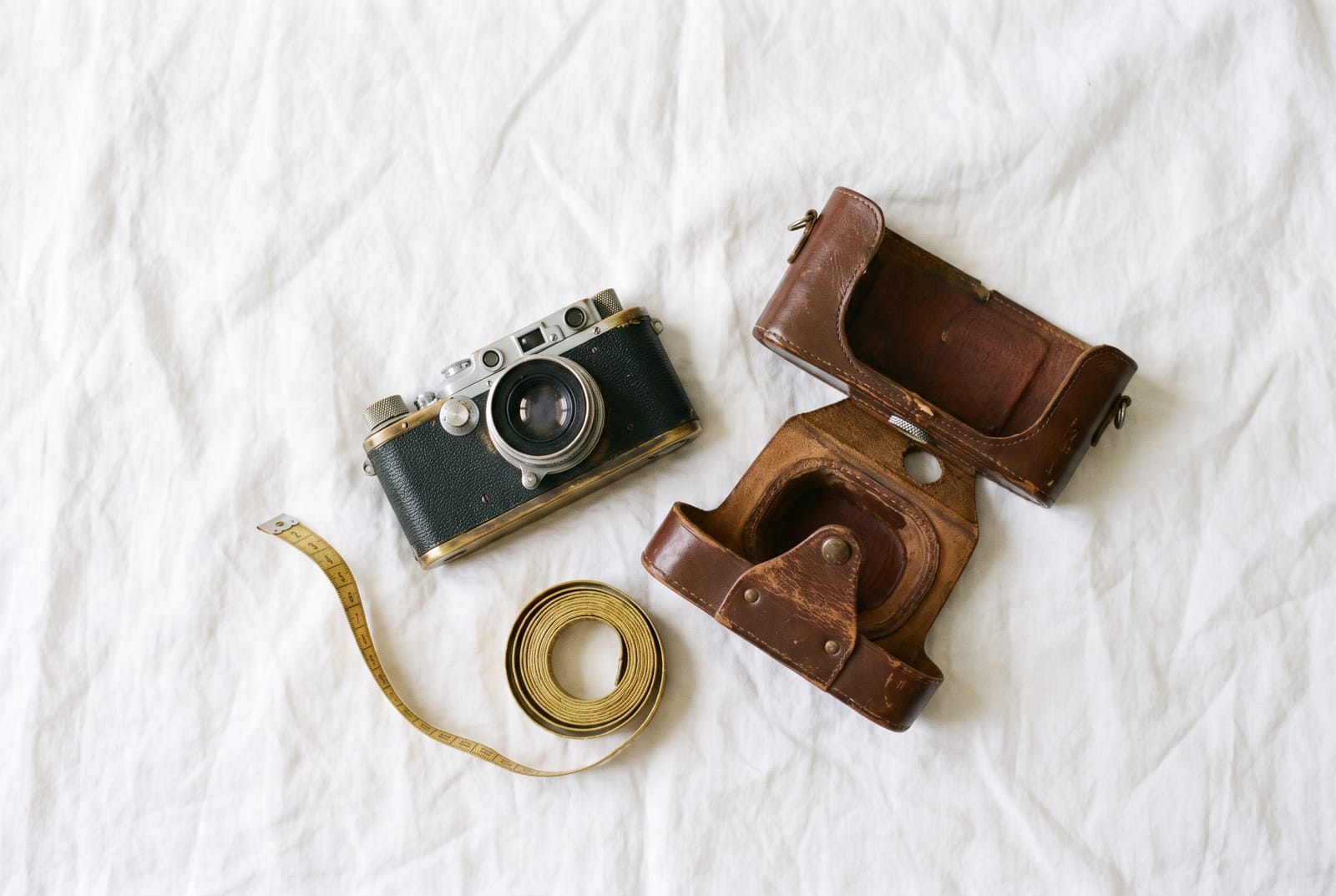
- What is included. Lay out the item with its box, charger, case, manual and accessories.
- Scale. The item next to a tape measure or a common object.
- Working state. For electronics, a photo of the screen on, a power light or the item in use.
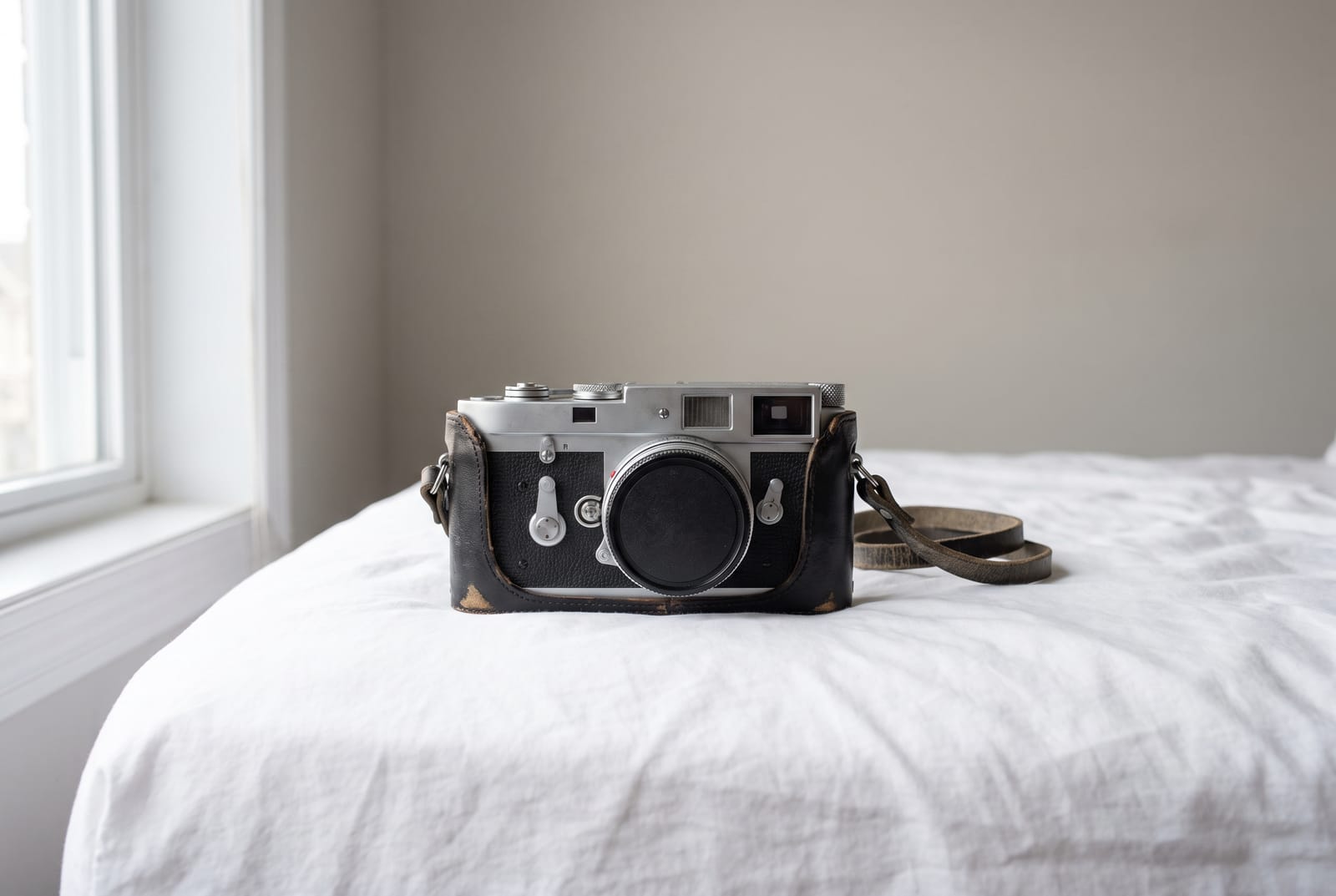
Take more photos than you think you need. They cost nothing, and eBay allows up to 24.
Show flaws, and still sell
Hiding a flaw does not make it disappear. It becomes an item-not-as-described case. eBay's own advice is to show flaws with close-up images. Take a close, sharp photo, say what it is in the description and price accordingly. Honest condition photos lead to fewer returns and better feedback.
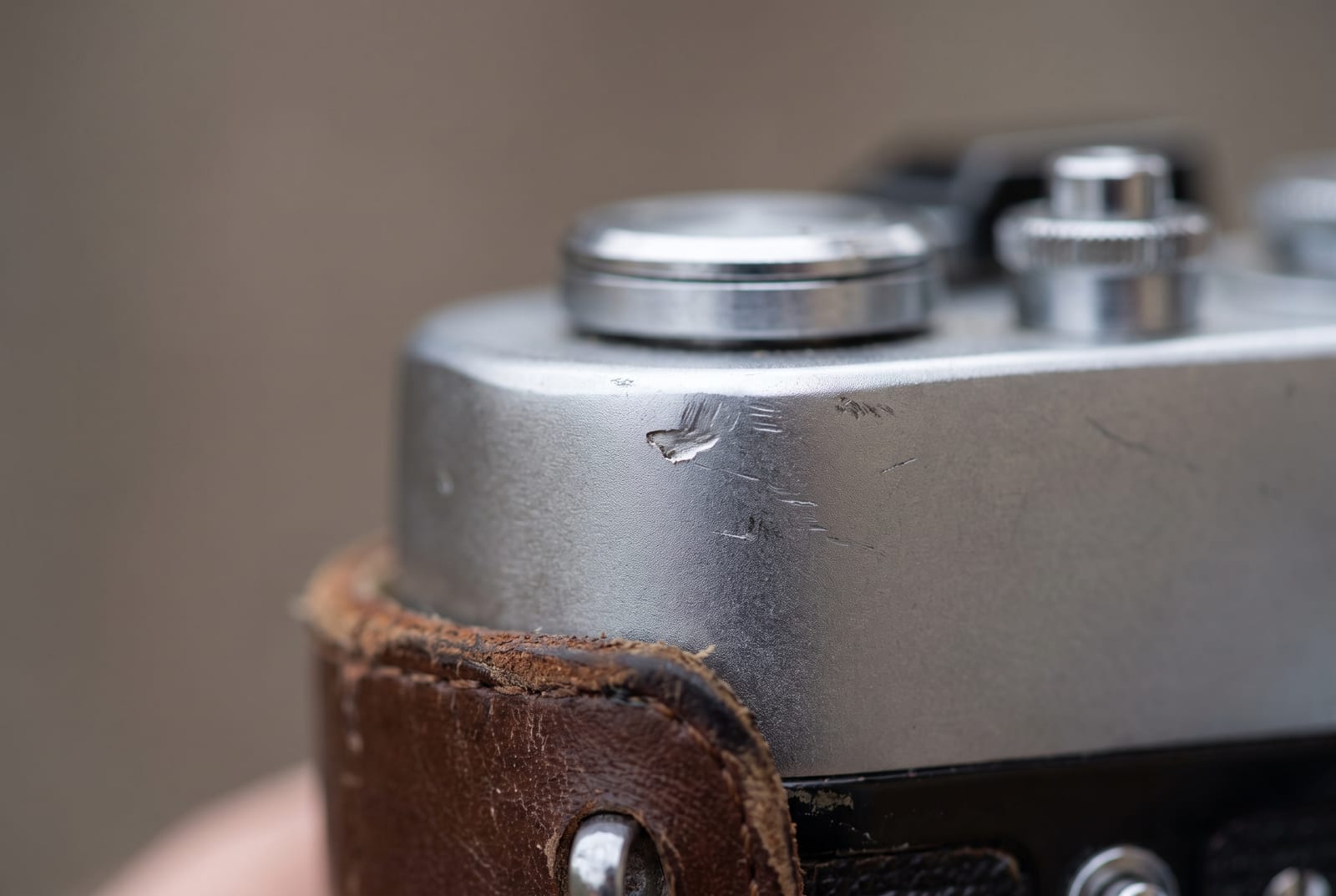
A tip: use raking light, with a lamp or window at a low angle, to make scratches and dents visible. Buyers will believe the photo more than the sentence.
Light and background that work
- Flash off. Flash makes glare on glass, metal, plastic and screens. Use window light.
- One light source. Mixed daylight and lamp light gives odd color casts.
- Plain, light background. A white or light grey surface keeps the item in focus, as eBay recommends. Smooth wrinkles in the sheet.
- Avoid glare on shiny items. Move the item or the light, or stand so you are not reflected in it. Our jewelry photography guide has tricks that work on any reflective item.
- Level the camera. A tilted horizon makes the item look off.
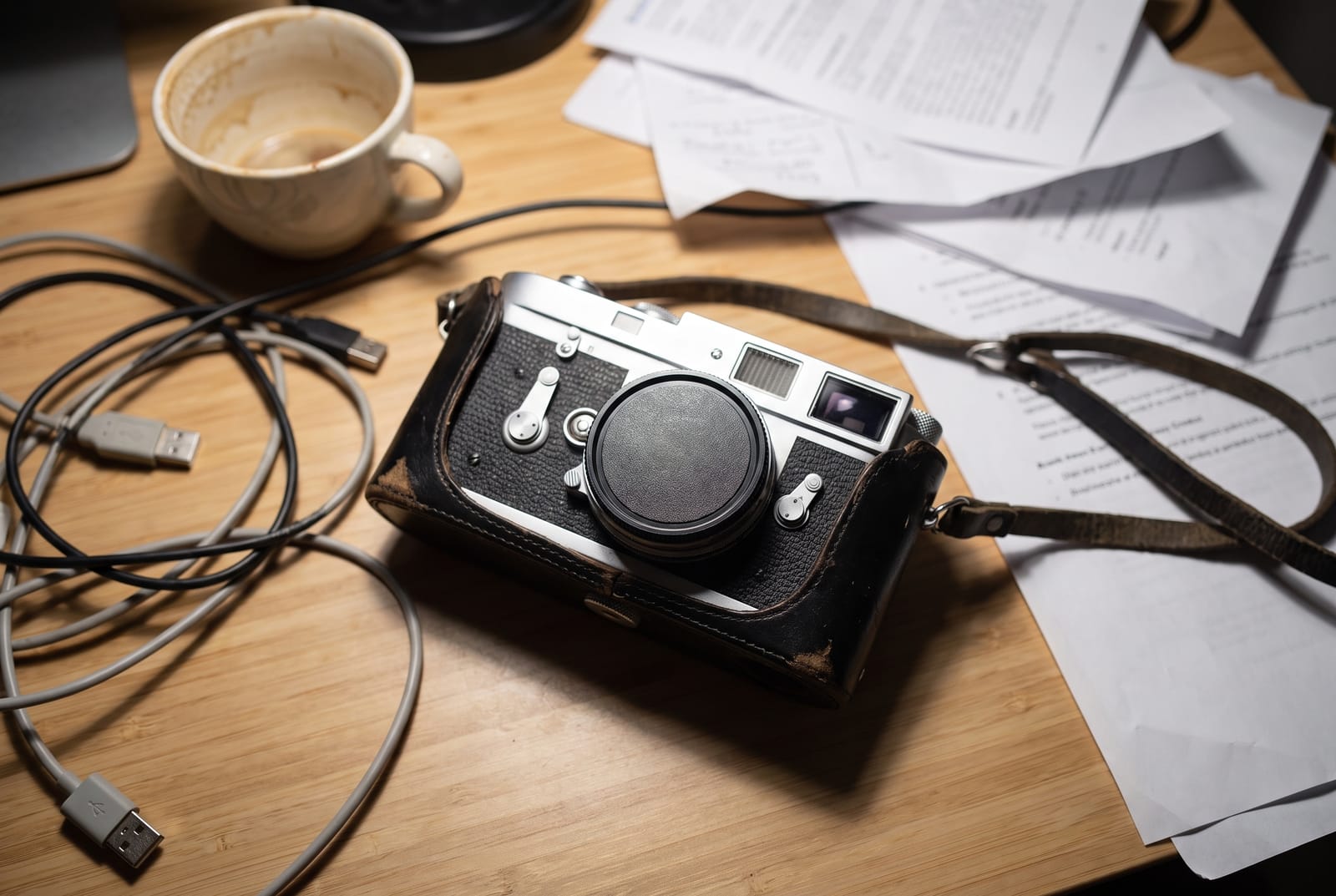
This is the same camera shot the quick way: tilted, on a cluttered desk, under a bright overhead light that bleaches the chrome. Compare it with the main photo at the top of this guide.
Edit for a clean, consistent main image
A little editing makes a big difference in search results, where small photos sit side by side.
- Crop to a square, 1:1, with the item centered and a little margin.
- Brighten. Raise exposure so a white background looks white, not grey.
- Straighten. Level the photo.
- Replace a messy background. If you could not shoot on a clean surface, cut the item out and place it on white with the background remover or the white background maker. Do not change the item itself. Our white background guide explains when it helps.
- Resize and compress. Export at about 1600 x 1600 with the eBay size guide. You can use the image compressor if a file is still too large.
- No overlays. eBay says not to add badges, logos or watermarks.
For a lot of listings, the batch editor applies the same background and size to every photo, and the eBay reseller use case shows how it fits a reselling workflow. The product photo editor guide covers the one-photo flow.
Show size and what is included
A tape measure in the frame answers most size questions before they are asked. Lay out everything that ships with the item, and say what is not included.
Common eBay photo mistakes
- Stock photos for used items. eBay does not allow them.
- One photo. Buyers assume you are hiding something.
- Dark photos. Shoot by a window, not under a ceiling light.
- Flash glare. It hides detail on shiny surfaces.
- Busy backgrounds. Clutter competes with the item and looks careless.
- Watermarks and badges. eBay says they can affect search placement.
- Mismatched condition. Photograph the exact item you are shipping.
If you are new to selling, read how to sell on eBay and compare eBay and Etsy to pick where your item fits. For the Etsy equivalent of this guide, see Etsy product photos.
Frequently asked questions
How do I take good pictures for eBay?
Shoot in soft window light with the flash off, put the item on a plain light surface, fill the frame, keep the camera steady and level, and take the main photo face-on. Then add every side, any flaws up close, what is included, and a scale shot.
What size should eBay photos be?
eBay says images need a minimum of 500 x 500 pixels and recommends about 1600 x 1600. It accepts files up to 12 MB each, and says 1:1 or 16:9 photos look best in listings. Check eBay's help page for the current numbers.
How many photos can I add to an eBay listing?
eBay's help page says you can add up to 24 pictures to a listing. Use as many as it takes to show every side, the condition and anything included.
Should eBay photos have a white background?
eBay says white backgrounds are generally best and recommends a neutral backdrop. A plain white or light grey surface keeps attention on the item and looks consistent in search.
Can I use stock photos on eBay?
eBay says you cannot use a catalog or stock photo if you are listing an item as used. For used items, take your own photos of the exact item you are selling.
Can I add a watermark or text to my eBay photos?
eBay says not to add graphics such as badges, logos, copyright notices or watermarks to images, since they can affect the listing's placement in search results. Keep the photo clean.