Depop Photos: Best Backgrounds and Photo Tips to Sell Faster
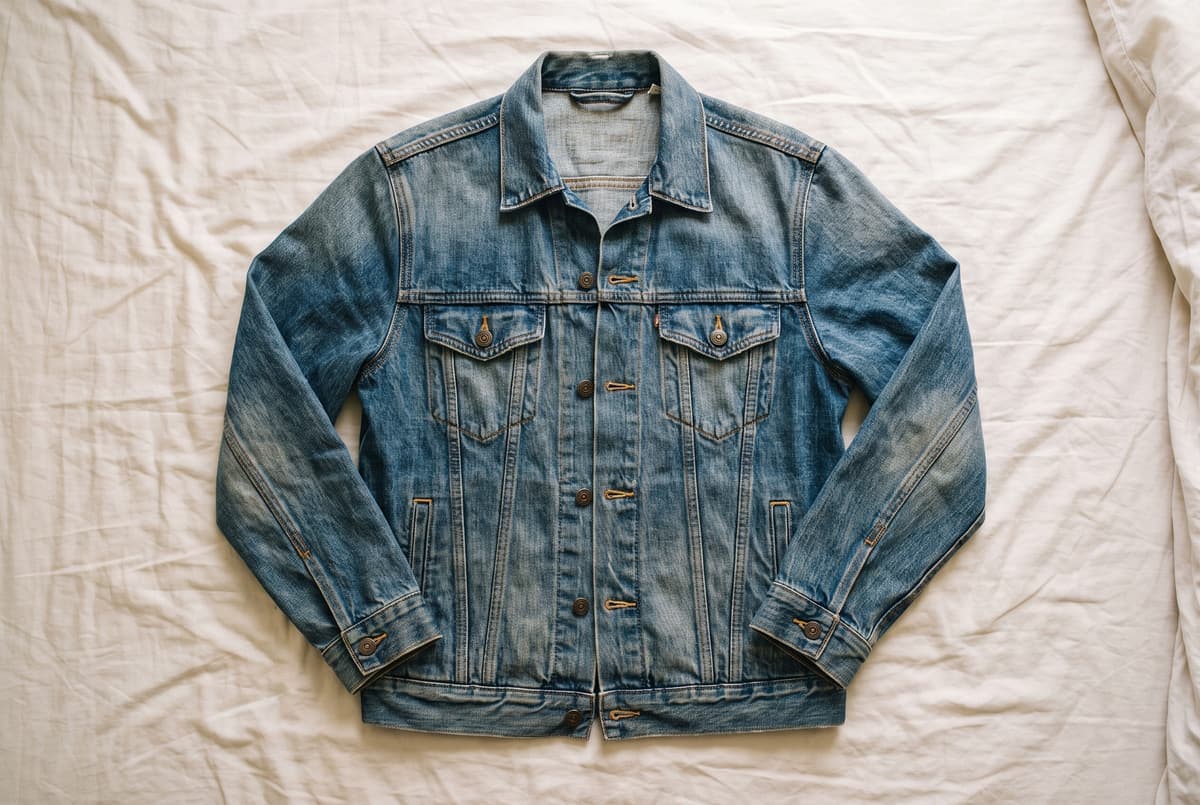
Table of Contents
Depop is a visual feed. Buyers scroll fast, and the first photo decides whether they tap. The good news is that Depop style does not need a studio. It needs a clean background, steady daylight and a consistent look across your shop. This guide covers backgrounds, how to shoot clothes, accessories and shoes, and how to finish the photos so your grid looks put together. It builds on clothing product photography.
Resize for Depop, free in your browser
Try it freePick a background
The background does most of the work for a listing photo.
| Background | Good for | Watch out for |
|---|---|---|
| White or cream sheet | Almost everything, especially flat lays | Wrinkles and shadows |
| Plain light wall | Hanging clothes and worn shots | Marks and outlets in the frame |
| Colored paper or fabric | Building a recognizable shop style | Colors that clash with the item |
| Floor or wood | Shoes, bags, accessories | Visible grain that competes with the item |
| Mirror selfie | Fit and style | Clutter in the room behind you |
Pick one primary background and use it for every cover photo. A grid in the same color or surface looks like a brand.
Shoot clothes
Flat lay. Steam the item, lay it on a clean sheet by a window, shape sleeves and legs as if worn, and shoot straight down. Use the 2x lens from a bit higher to avoid distortion.
Hanging. Hang it on a plain wall or door with a good hanger. Smooth the garment and shoot straight on.
Worn. A worn or mirror shot shows fit and styling. Keep the frame clean and show the whole outfit, or crop to the item if it is the focus.
Whichever you pick, take these shots:
- Front, as the cover photo.
- Back.
- Label and size tag.
- Detail of the fabric, print or hardware.
- Any flaw, close and clearly lit.
Shoot shoes, bags and accessories
- Shoes: Shoot both shoes together at a three-quarter angle, then side, sole and any wear.
- Bags: Stand upright, stuffed lightly with paper. Show the inside, straps and hardware.
- Jewelry and small items: Use a plain background, shoot close, and add a scale photo.
For product-style shots, product photography at home covers the setup.
Light and quality
- Shoot in daylight by a window. Avoid mixed lamp light.
- Turn the flash off.
- Wipe the lens, hold the phone steady and tap the item to focus.
- Keep color true. Depop buyers read photos literally, so a color that looks different on arrival leads to disputes.
Crop and resize for the grid
Depop's feed shows square thumbnails and it does not publish a required pixel size. Keep the full item visible and centered with even margins, and use the Depop listing photo size guide for a practical square canvas. If you also list on Poshmark, its 3:4 portrait cover has its own cover photo resizer.
Clean up the background
If your room is messy, you can still get a clean photo:
- Cut the item out with the background remover.
- Put it on white or pick a color for your shop with the change background color tool. Blue, purple and green are popular for a bold grid.
- Use the same background for every cover photo.
Only change the background, not the item. Do not alter color, remove stains or hide wear, because that misleads buyers and leads to returns. If a photo needs a sharper look, try the image upscaler. When you have many listings to prep, the batch editor applies the same background and size to each.
Common mistakes
- Cluttered backgrounds. A messy room pulls attention from the item.
- Wrinkled clothes. Steam first.
- Inconsistent crops. Items at different sizes make the grid look uneven.
- Dark photos. Use a window, not a lamp.
- Hiding flaws. Photograph them clearly.
Frequently asked questions
What is the best background for Depop photos?
A plain, light, uncluttered surface such as a white sheet, a light wall or a floor is the safest, because it keeps the item in focus. Colored backgrounds work if you use the same one across your shop so the grid looks cohesive.
How do I take good Depop pictures with my phone?
Steam the item, shoot in daylight by a window with the flash off, keep the phone steady and straight on or directly above, and take front, back, label, detail and flaw photos. Crop evenly so every item sits at the same size.
What size should Depop photos be?
Depop's grid shows squares, but it does not publish a required pixel size. Use the Depop listing photo size guide for a practical square canvas, and keep the whole item visible.
Should I show flaws in Depop photos?
Yes. A clear photo of a stain, hole or wear prevents disputes and returns, and buyers on Depop expect honesty about condition.
Can I change the background of my Depop photos?
Yes. Cut the item out and put it on a plain or colored background. Keep the item's color accurate and avoid changes that misrepresent condition.