Clothing Product Photography: Flat Lay and Hanger Photos for Sellers
Table of Contents
Clothes are easy to photograph badly. Wrinkles, shadows, a messy bedroom behind the garment and a crooked shape all make a good item look worn out. A few minutes of prep and a flat, bright surface fix most of it. This guide covers flat lays, hanging shots and mannequin or model shots with a phone. It is part of the product photography at home series.
Choose a method
| Method | Best for | Needs |
|---|---|---|
| Flat lay | Tees, sweaters, jeans, scarves, most resale items | A clean floor, bed or table, and a way to shoot straight down |
| Hanging | Dresses, jackets, coats, shirts | A plain wall or door, a good hanger |
| Mannequin or model | Fit-critical pieces, ghost-mannequin look | A mannequin or a friend, extra space |
Flat lay is the cheapest and most consistent, and what most shops start with.
Prep the garment
- Wash or at least freshen the item. Remove lint with a roller.
- Steam or iron it. Wrinkles are the first thing buyers notice and the hardest to fix later.
- Remove price tags and dust, and tuck loose threads.
- Check zippers and buttons are closed or intentionally open, and that the garment is symmetrical.
Set up a flat lay
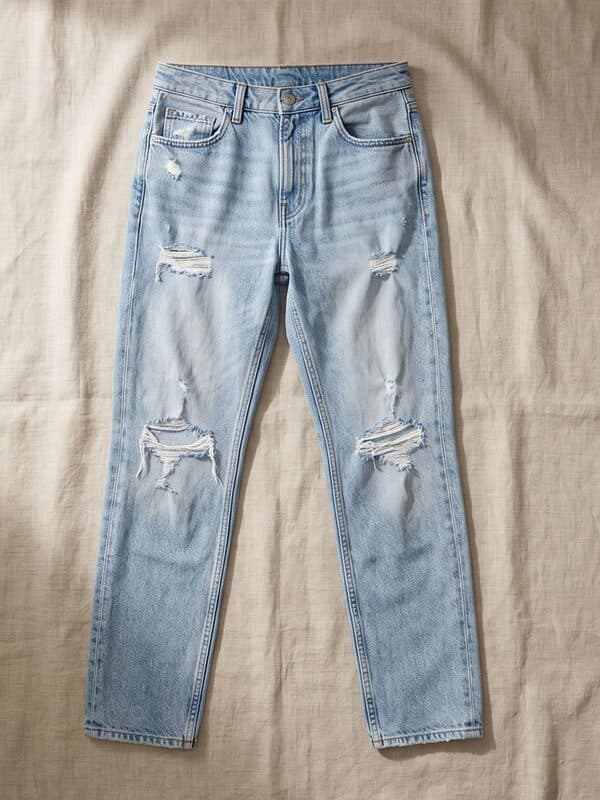
- Surface. Use a clean white or light sheet, a sheet of foam board, or a plain floor. Smooth it flat. A light surface bounces light up into the fabric.
- Light. Place the surface by a window with no direct sun and turn off room lights. See lighting. For a bed or floor, light from the side shows fabric texture.
- Shape the garment. Lay it out as if it were worn: sleeves relaxed, collar flat, hem straight. Fold sleeves across or leave them out, but be consistent. Stuff sleeves or the chest lightly with tissue or a rolled towel so they do not collapse.
- Camera position. Stand directly above the garment with the phone parallel to the surface. A tilt will make the garment look trapezoid. If you can, use the grid lines and keep the phone level.
- Steady. Use a tripod with an overhead arm, a stack of books and a box, or hold it with both elbows tucked in, and use the timer.
- Lens. Use the 2x lens from higher up rather than the wide lens close. This reduces distortion at the corners.
- Exposure. Tap the garment, lock exposure, and brighten until the surface looks clean without washing out the fabric.
Hanging shots
Hang the garment from a plain door or wall, on a clean, matching hanger. Steam it while it hangs. Stand square on, with the phone at the garment's mid height, and light it from the side with soft window light. A white board or sheet behind it simplifies the background.
Ghost mannequin and model shots
A mannequin gives shape and fit that a flat lay cannot, and buyers like to see how an item hangs. If you shoot on a mannequin or a friend, keep the background clean, use the same light, and take front, back and side shots. Use soft light so shadows under arms and collars stay gentle. A model shot is the lifestyle image; keep a clean flat lay or hanging shot as the cover.
Shot list for a clothing listing
- Front, full garment (your cover).
- Back.
- Close-up of fabric, texture and weave.
- Labels, brand tag and size tag.
- Any flaw, stain, pilling or repair, photographed honestly.
- Details: pockets, zip, buttons, lining.
- Measurements shown on the garment, or a ruler or tape in the frame.
- A worn or styled shot, if you have one.
Showing flaws and measurements reduces returns and questions.
Edit and export
- Straighten, crop and center the garment with even margins.
- Correct the white balance so whites read as white and colors match the real garment.
- Remove the background if the surface is not clean, then put the garment on a plain color or pure white.
- Resize for the platform. Poshmark covers are a 3:4 portrait, Depop is square for its grid, and eBay and Etsy have their own guides: Poshmark, Depop, eBay and Etsy.
- Use the batch editor to process a whole closet in one go, so every photo has the same crop and size. If your photos only need resizing, a bulk resizer handles a whole folder at once.
Our flat lay photo maker, ghost mannequin generator and AI fashion model generator can produce those looks from a simple photo if you would rather not stage them. If you do not want to stage every garment, AI product photography can put a product into a clean scene. It works best when you start from a sharp, well-lit photo of the item.
Clothing photography mistakes
- Wrinkles. Steam first.
- Shooting at an angle. A tilted camera distorts the garment. Shoot straight down for flat lays.
- Messy background. Clear the bed, floor or room, or cut the background out.
- Poor color. Mixed light makes clothes look different from real life. Use one light source.
- Hiding flaws. It leads to returns and bad feedback. Photograph them.
- Inconsistent crops across a shop. Use the same distance and framing.
- One photo only. Back, label and detail shots help buyers decide.
Frequently asked questions
How do I take pictures of clothes to sell?
Steam the item, lay it flat on a clean light surface by a window or hang it on a plain wall, shoot straight on from a steady position with the flash off, and take front, back, label, detail and flaw shots. Crop evenly and resize for the platform.
How do you do a flat-lay product photography shot?
Lay the item on a plain surface, shape it as if worn, light it with soft side light, stand directly above it with the phone parallel to the surface, and use a tripod or timer so the image is sharp. Use the 2x lens from higher up to avoid distortion.
What is the best background for clothing photos?
A plain white or light neutral surface gives the cleanest result and is the easiest to edit. Use another background only when you want a styled look, and keep the cover image simple.
How do I make clothes look good in photos without a mannequin?
Steam them, stuff sleeves and chests lightly with tissue so they keep shape, and lay them flat or hang them. Lay them symmetrically, and shoot from directly above or square on.
What size should clothing photos be for Poshmark and Depop?
Poshmark's guidance is a 3:4 portrait cover photo and Depop's grid uses squares. Neither publishes a required pixel size, so use the size guides for Poshmark and Depop as working canvases.
Can I take t-shirt product photos at home?
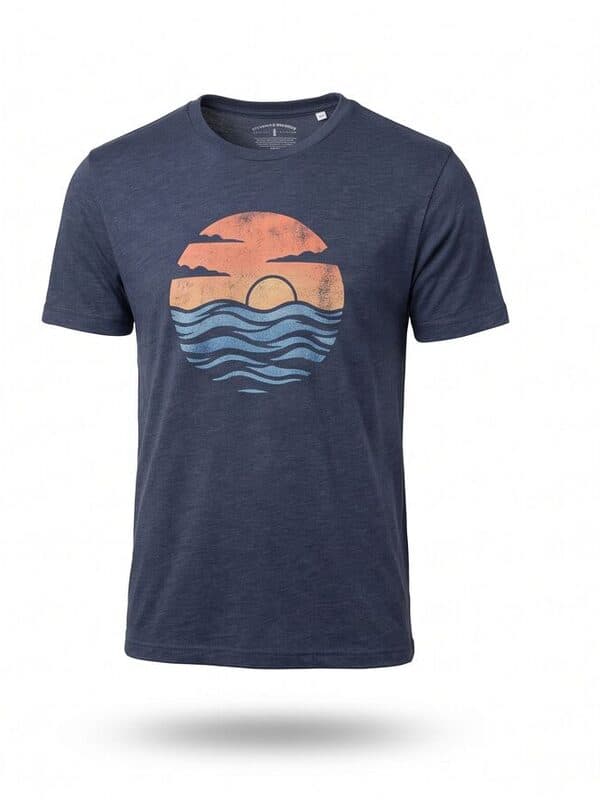
Yes. Steam the shirt, lay it flat or hang it, light it with a window, shoot directly above or square on, and export a square or 3:4 image. Add a close-up of the print or label.