AI Fashion Model Generator
Turn a garment photo into a model photo. Choose the model, pose and background, and get 2 variations that keep your print, logo and color.
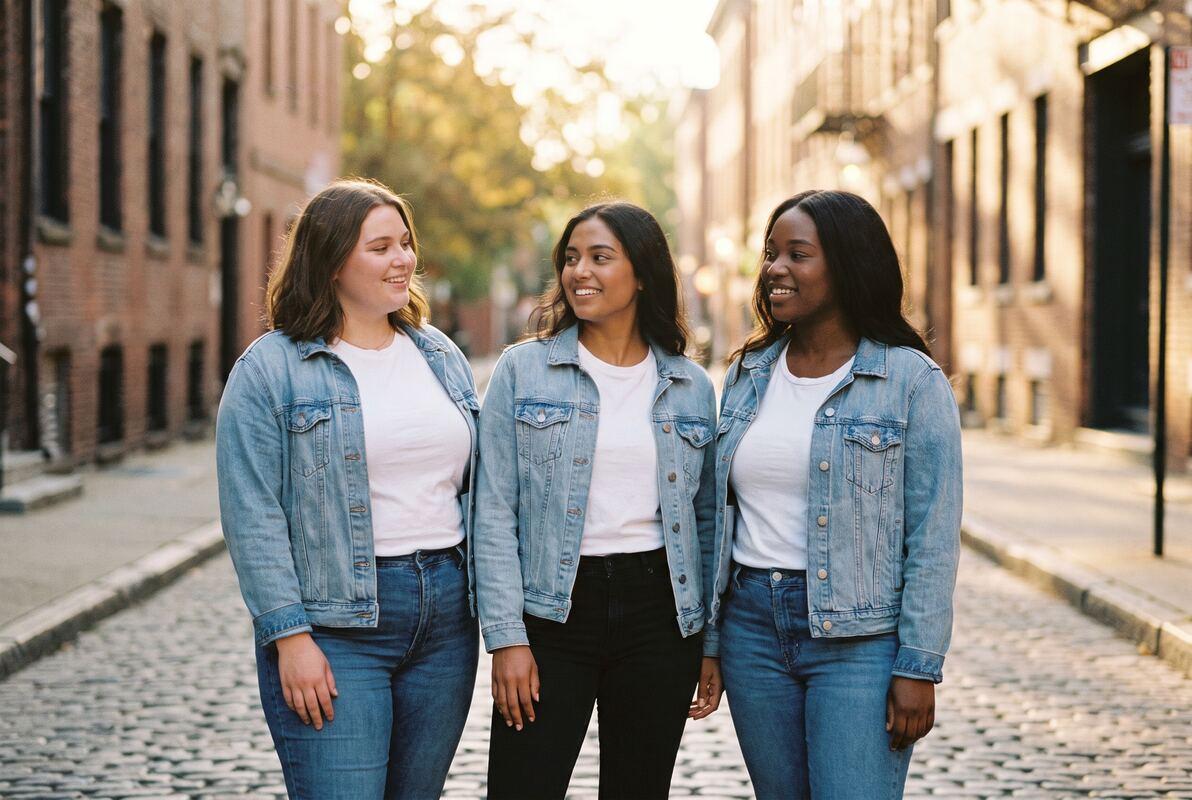
Show Your Clothes on a Real-Looking Model
From Hanger to Model Photo
Listings with a person in them tell buyers how a piece fits and hangs. Upload the photo you already have and get a full-body model shot, without booking a shoot.
Models That Look Like Your Buyers
Pick female or male, five body types and six skin tones. Show the same dress on different models to speak to more of your shoppers.
Faithful to the Garment
Color, print, logo placement and fabric are carried over from your photo. The rest of the outfit stays plain and neutral so the listing item is the star.
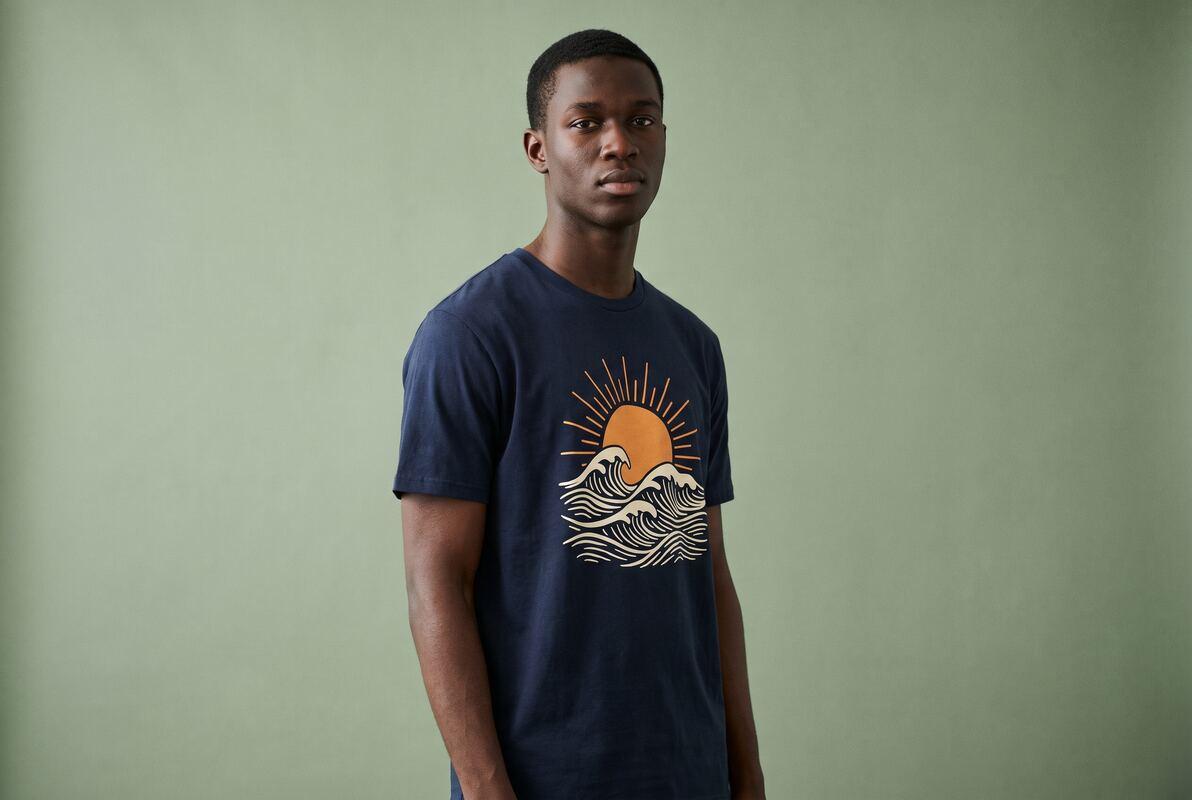
Pose and Background, Your Call
Four Poses
Standing, hand on hip, walking or a casual lean. A walking pose shows how a skirt moves. A straight pose is best for showing a print.
Studio White, Street or a Color
Clean white suits Poshmark and Vinted covers. A street background feels natural on Depop. Studio color gives a shop feed a consistent look.
Two Variations Every Run
Each run returns 2 options. Not quite right? Generate 2 more with the same or new settings and download the one you like.
How to put clothes on a model with AI?
- 1
Step 1: Upload your garment photo
Add a photo of the garment flat, on a hanger or on a mannequin. Make sure the whole piece is in frame.
- 2
Step 2: Choose your model
Pick gender, body type, skin tone, pose and background, then press Put it on a model.
- 3
Step 3: Download your favorite
Compare the 2 variations, generate 2 more if you want, and download the one that fits your listing.
One of my go-to apps
Great app for filtering photos and even greater app for sizing pictures for not only posts but story photos as well... love this app I mainly use insta size for all my posts now ;)
Fast and Straightforward
Resizing photos for social media should be a cinch, but most editing programs are a pain to use. Of the dozen I’ve used, Instasize is the fastest, easiest and most consistent...
Great Sizes
Perfect app for the exact social media picture sizes. Love it. I use it daily. & I like the premade options they give you for different social medias!
I love instasize
Its the best app. for sizing photos to fit for Instagram or other forms of social media. You can also edit photos and create collages with multiple photos. It’s had been my friend for several years!
Always helpful
Always helpful when needing to resize photos
Huge fan
I love this app. Makes posting all types of photos. Love how it makes them fit on different formats
I’ve been using for years. Can’t work without it.
I use this app everyday to perfectly resize images for all of my social media platforms
LOVE
This app saved the day for me! I’m finally able to resize my photos for IG....effortlessly
Great App
We use this App weekly to resize pics for social media posts. Very user friendly, easy to use program when you want to get in and out quickly...
Can I use AI model photos on Poshmark, Depop, Vinted or Etsy?
Marketplace rules differ and change. Several ask that photos show the actual item you are selling, and some require disclosing AI-generated images. Check the current policy for each marketplace, and keep your original photos for the listing too.
Does it work for pants, skirts and dresses?
Yes. For tops and jackets the model wears plain neutral trousers. For pants and skirts the model wears a plain neutral top. Dresses are shown on their own.
Will my print, logo and color stay the same?
The tool is told to keep your garment exactly as photographed: color, print, logos and trim. AI can still slip on fine detail, so check small text and thin stripes at full size before you list. If something is off, press Generate 2 more.
What kind of garment photo works best?
A sharp, evenly lit photo where the whole garment is in frame. Flat on a bed, on a hanger or on a mannequin all work. Wrinkles, a messy room and phone quality are fine.
Can I pick the exact face or a specific person?
No. The model is generated for each run, and the tool does not copy real people. Use Generate 2 more to get a different look.
How many credits does it cost?
One run uses AI credits from your daily allowance and gives you 2 variations. Your first AI result can be free. If a run fails, the credits come back automatically.
Instasize pricing: free editing and paid AI plans
Resize, crop, add text and work with layers for free. Paid plans include an AI usage allowance, background removal and access to image and video models. First-time subscribers can start with a free trial.
Free
Essential tools for casual creators.
Free forever
- Resize, crop, text and layers
- Batch resize & convert, 200 photos at a time
- HD export
- No AI features: AI edits are part of Pro
Pro
PopularEssential AI tools for creators
Billed monthly
Annual option: $299.99 billed yearly.
- More AI usage
- Batch background removal, 200 photos at a time
- 2 generations at a time
- AI Chat Editing
- All AI image models
- All AI video models
Ultimate
Advanced features for professionals
Billed monthly
Annual option: $499 billed yearly.
- More AI usage
- Batch background removal, 200 photos at a time
- 4 generations at a time
- AI Chat Editing
- All AI image models
- All AI video models
Max
Maximum power and speed
Billed monthly
Annual option: $2199 billed yearly.
- More AI usage
- Batch background removal, 200 photos at a time
- 8 generations at a time
- AI Chat Editing
- All AI image models
- All AI video models
AI Image Generator for Every Creative Need
Generate from text, expand photos, remove backgrounds, and upscale to 4K