Video Compressor
Compress one browser-supported video at a time and preview the quality/file-size tradeoff before downloading an MP4.
Related tools
Same job on a different file type or batch size. Each tool still processes the file in this browser.
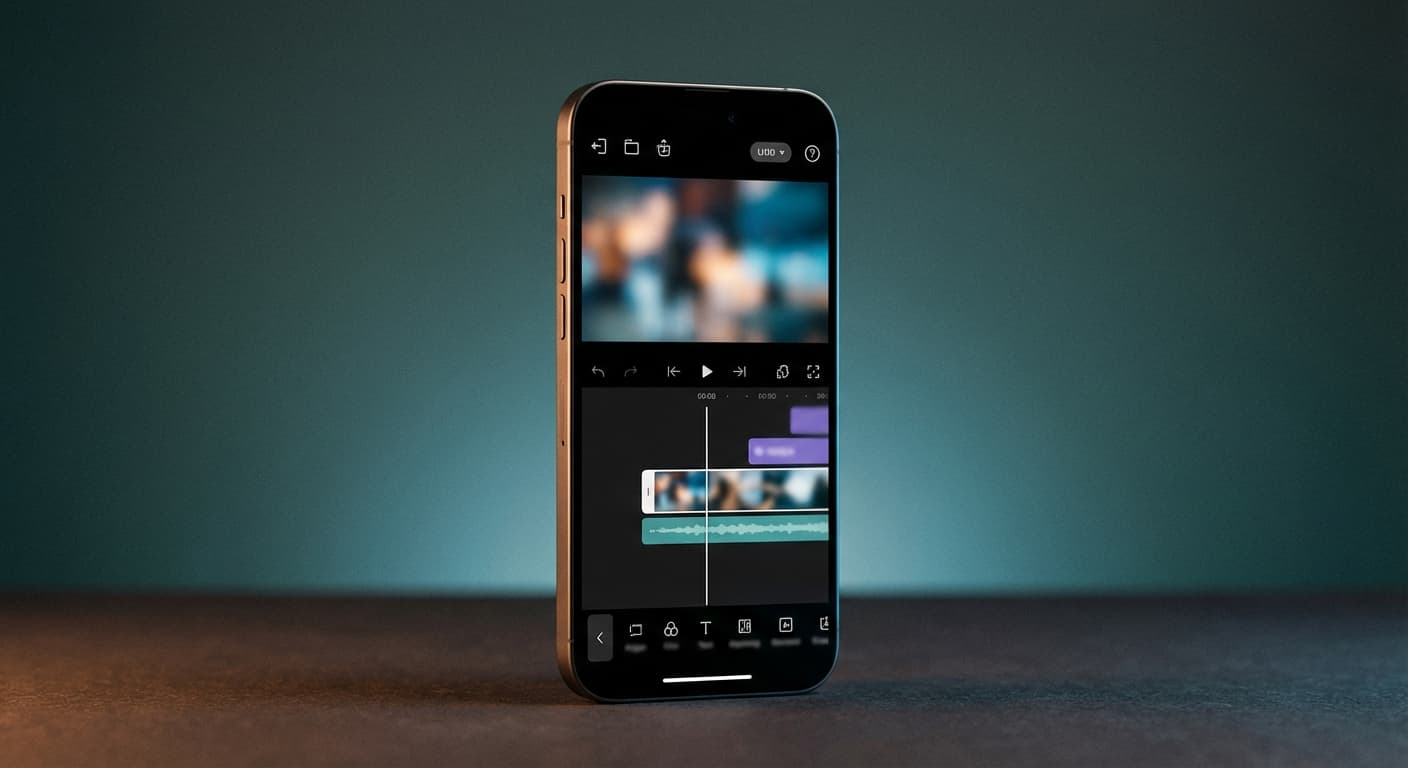
Compress a Video in Your Browser
Choose the Output Settings
Select an output resolution, frame rate, codec, and encoding preset. The tool only offers lower resolutions and frame rates after it reads the source, helping you avoid accidental upscaling.
Understand the Quality Tradeoff
Video compression is not lossless. A smaller resolution, lower frame rate, or stronger encoding setting can reduce file size while also removing visual or motion detail. Keep the original and inspect the preview before downloading.
Browser-Dependent Input Support
The uploader accepts common video file types, but successful decoding and encoding depend on the browser, device, and source codec. The downloaded result is an MP4 when processing succeeds.
One File at a Time
The web tool accepts one video up to 200MB per run. It does not provide batch compression or a guaranteed target file size.
Why Choose Our Video Compressor?
Local Browser Processing
This workflow performs conversion in the browser with the MediaBunny library. It does not send the selected video to a cloud compression server.
Device Resources Matter
Because processing happens locally, speed and memory limits depend on the device, browser, video duration, resolution, and codec. Long or high-resolution files can take longer or fail on constrained devices.
Preview Before Downloading
Compare the processed preview with the source before downloading. Fine text, fast motion, gradients, and low-light footage can reveal compression artifacts first.
MP4 Output
The tool packages the processed result as an MP4. Codec availability can vary by browser, so choose H.264 when broad playback compatibility is more important than experimenting with another offered codec.
Perfect Video Compression for Every Need
Smaller Sharing Copies
Create a smaller copy for a message, upload, or draft by reducing resolution or frame rate. The tool does not include platform-specific presets, so check the destination's current requirements yourself.
Web and Presentation Drafts
A reduced copy can be useful for review links, presentations, and tests where the original file is unnecessarily large. Keep the source for final editing and archival work.
Do Not Replace the Master
Compression permanently changes the exported copy. Keep the original or a high-quality master when you may need to edit, re-export, or archive the footage later.
Email and Messaging
Use the estimated size as a guide when preparing an attachment, then check the actual downloaded file against the destination limit. The tool does not guarantee a precise target size.
How to compress videos online for free?
- 1
Step 1: Upload Your Video
Drag and drop or select your video file. We support videos up to 200MB in size including MP4, WebM, AVI, MOV, and other popular formats.
- 2
Step 2: Choose Output Settings
Select an available resolution, frame rate, codec, and encoding preset. Lower settings can reduce file size but may remove visible detail.
- 3
Step 3: Compress and Preview
Run the compression in your browser and compare the processed preview with the original.
- 4
Step 4: Download the MP4
Download the result and verify its actual file size, playback, audio, and visual quality before sharing it.
One of my go-to apps
Great app for filtering photos and even greater app for sizing pictures for not only posts but story photos as well... love this app I mainly use insta size for all my posts now ;)
Fast and Straightforward
Resizing photos for social media should be a cinch, but most editing programs are a pain to use. Of the dozen I’ve used, Instasize is the fastest, easiest and most consistent...
Great Sizes
Perfect app for the exact social media picture sizes. Love it. I use it daily. & I like the premade options they give you for different social medias!
I love instasize
Its the best app. for sizing photos to fit for Instagram or other forms of social media. You can also edit photos and create collages with multiple photos. It’s had been my friend for several years!
Always helpful
Always helpful when needing to resize photos
Huge fan
I love this app. Makes posting all types of photos. Love how it makes them fit on different formats
I’ve been using for years. Can’t work without it.
I use this app everyday to perfectly resize images for all of my social media platforms
LOVE
This app saved the day for me! I’m finally able to resize my photos for IG....effortlessly
Great App
We use this App weekly to resize pics for social media posts. Very user friendly, easy to use program when you want to get in and out quickly...
There is no guaranteed reduction. The result depends on the source codec, bitrate, resolution, frame rate, duration, and selected output. Re-encoding an already efficient source can produce a small reduction or even a larger file.
One subscription. Every AI model.
Create without limits. Get full access to every premium AI model and our entire suite of tools with a single plan.
Free
Essential tools for casual creators.
Free forever
- Daily AI usage
- Batch resize & convert, 50 photos at a time
- 1 slow generation at a time
- AI Chat Editing
Pro
PopularEssential AI tools for creators
Billed monthly
- More AI usage
- Batch background removal, 50 photos at a time
- 2 generations at a time
- AI Chat Editing
- All AI image models
- All AI video models
Ultimate
Advanced features for professionals
Billed monthly
- More AI usage
- Batch background removal, 50 photos at a time
- 4 generations at a time
- AI Chat Editing
- All AI image models
- All AI video models
Max
Maximum power and speed
Billed monthly
- More AI usage
- Batch background removal, 50 photos at a time
- 8 generations at a time
- AI Chat Editing
- All AI image models
- All AI video models
AI Image Generator for Every Creative Need
Generate from text, expand photos, remove backgrounds, and upscale to 4K