YouTube Banner Resizer
YouTube displays your banner differently on every device. TVs show the full 2560x1440 image. Desktops show a cropped horizontal slice. Mobile shows an even smaller portion. Most creators upload banners that look great on desktop but get their logo chopped off on mobile. The solution is designing for the safe zone, the center area that displays on all devices, while filling the full canvas with complementary imagery.
YouTube banner size
YouTube banner size: 2560×1440 px recommended (2048×1152 px minimum), 16:9 aspect ratio, max 6 MB (JPG, PNG, GIF, or BMP).
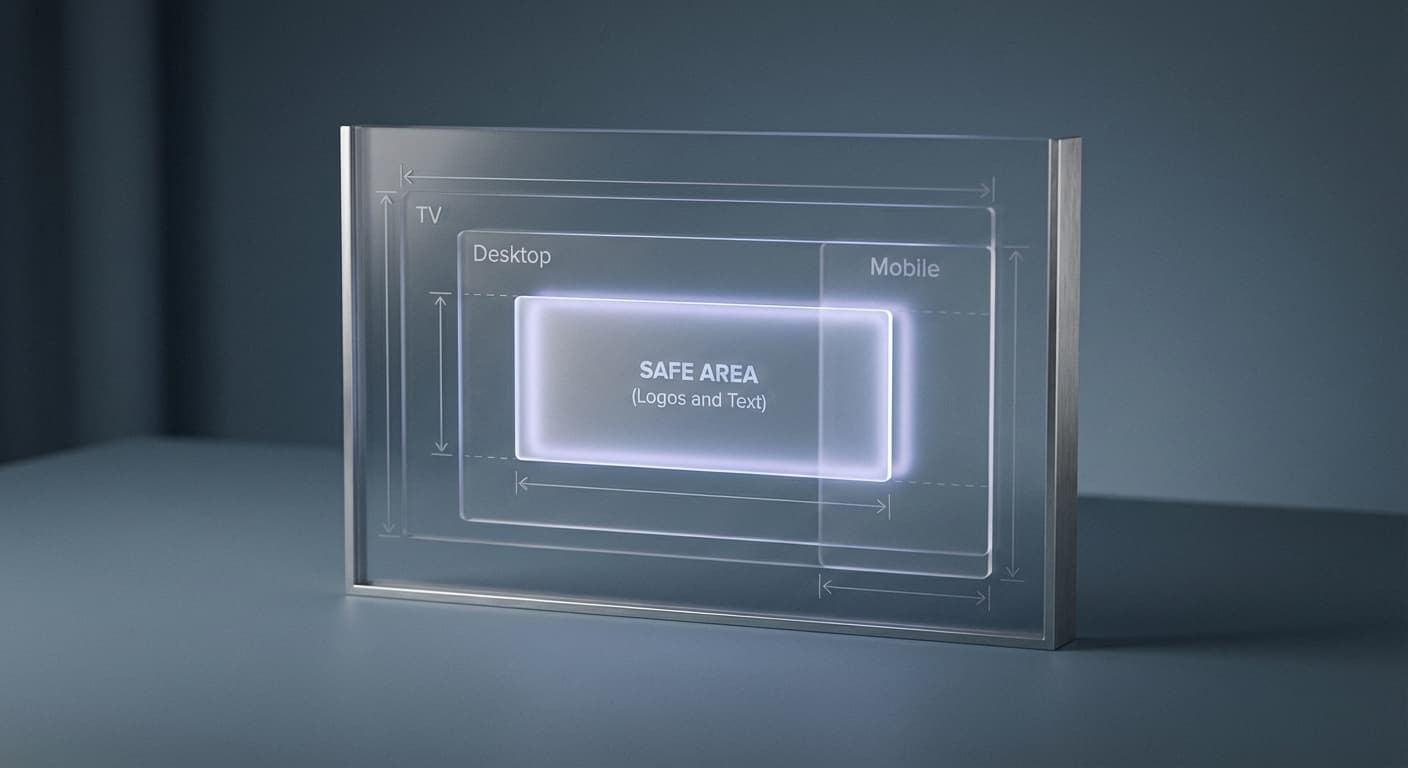
Keep logos and text inside the central safe area: 1546×423 px on the recommended 2560×1440 canvas, or 1235×338 px if you upload at the 2048×1152 minimum. That region shows on every device, while the rest is cropped differently on TV, desktop, and mobile.
2560
width (px)
1440
height (px)
16:9
aspect ratio
Need other dimensions? Browse all Youtube sizes or use the free image resizer for any platform.
Sources
We check platform-specific dimensions against source documentation when available.
- YouTube Help - Channel banner & profile picture tips - YouTube recommends 2560 × 1440 px, requires at least 2048 × 1152 px, and caps uploads at 6 MB. The safe area is 1235 × 338 px at the minimum size, which scales to 1546 × 423 px at the recommended size.
Master the Safe Zone
On the recommended 2560x1440 canvas, YouTube's safe zone is the central 1546x423 pixels (1235x338 if you upload at the 2048x1152 minimum). This area displays on every device from phones to TVs. Put your channel name, logo, and tagline here. Anything outside this zone gets cropped on mobile and tablets. Design your banner with the safe zone as the foundation, then extend your visual design outward for larger screens.
Preview on Every Device
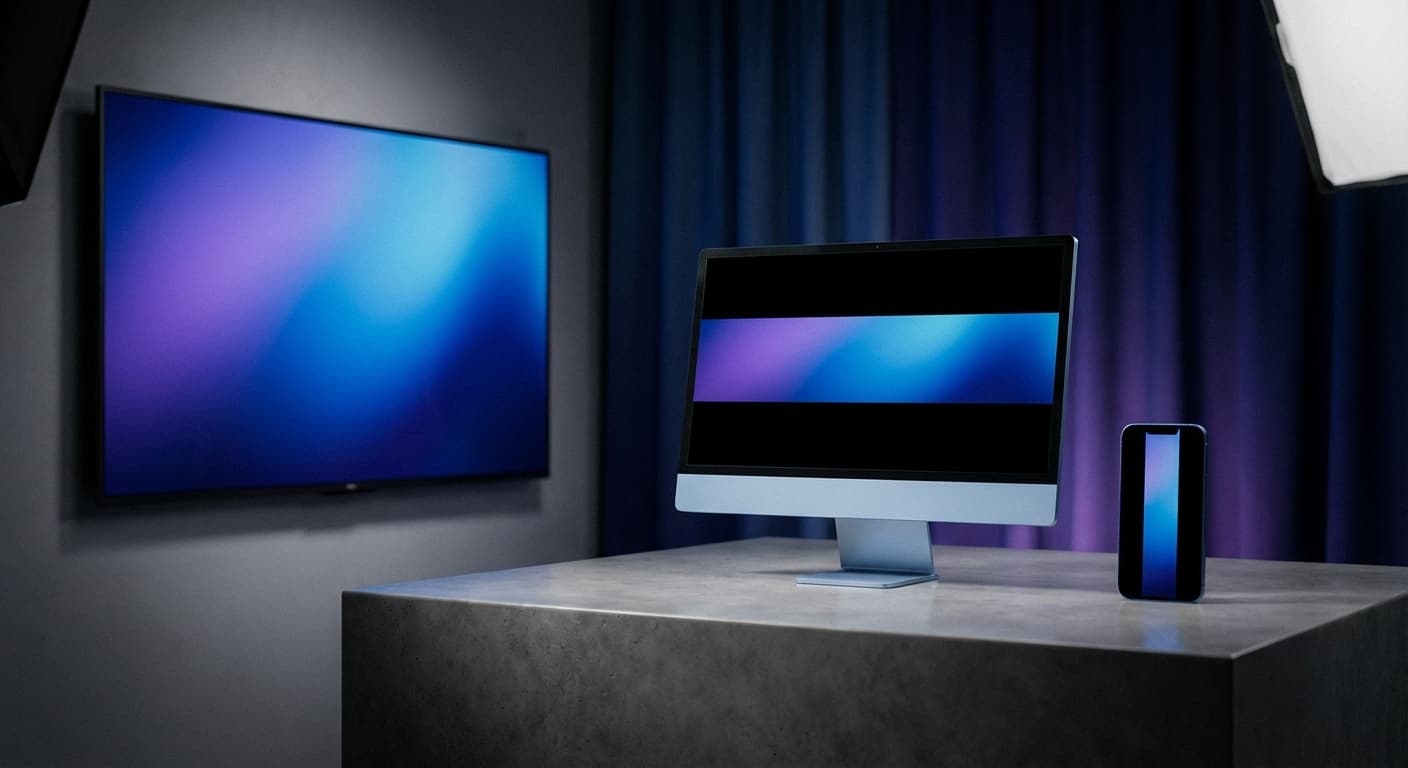
TV viewers see your full 2560x1440 banner. Desktop users see a 2560x423 horizontal strip. Tablet displays show 1855x423 pixels. Mobile shows the smallest slice at 1546x423. Test your banner on each device before publishing. A banner that looks perfect on your desktop monitor might have the logo completely missing on mobile where most viewers browse.
Build Channel Recognition
Consistent branding across your banner, thumbnails, and video outros creates a cohesive channel identity. Viewers remember channels that look professional. Your banner is prime real estate for establishing colors, fonts, and visual style that carry through all your content. Update it seasonally or for special events to keep your channel feeling active and current.
How to resize to YouTube Banner size?
- 1
Step 1: Step 1: Choose the right image
Select an image that accurately represents your channel and is visually appealing. High-quality images are crucial for showcasing your content and attracting subscribers.
- 2
Step 2: Step 2: Resize the image
Using the Instasize YouTube Banner Size Tool, resize your banner image to the recommended size of 2560 x 1440 pixels. This size provides a balance between image quality and loading speed.
- 3
Step 3: Step 3: Save in the appropriate format
Save your resized image in an appropriate format, such as JPEG or PNG. This ensures compatibility with various devices and browsers, as well as optimal loading times.
The optimal YouTube banner size is 2560 × 1440 pixels. This size ensures a balance between high-quality images and fast loading times, providing a positive user experience.
All Youtube Image Sizes
Choose another available Youtube canvas and review its source notes
File tools
Convert the resized image
Need a different file format or transparent background? Choose a focused converter, then check the preview and encoded size before downloading.
Put Your YouTube Banner Image Into a PDF
Put one image on each page, arrange the order, and create the PDF in your browser.
Free tools
Explore Free Creative Tools
Everything you need to make your photos stand out with our free photo editing tools

AI Photo Editor
Edit photos by describing what you want. Remove backgrounds, resize, enhance, add text, and more. Just type your edit in plain English.

Face Swap
Create an AI face-swap image from uploaded photos. Results vary with lighting, pose, source quality, and the faces in each image.

Photo Inverter
Invert image colors online for free. Create a negative photo, adjust intensity, or target selected colors privately in your browser with no signup.

Image Size Converter
Free online image size converter. Resize a photo to exact pixel dimensions (width x height) in JPG, PNG, or WebP. Need a target file size in KB or a format change? We point you to the right tool. No signup.
Weighing up the options? Best photo editing apps for Instagram compares Instasize with Canva, Picsart, VSCO, Lightroom, and Snapseed using each vendor's own published terms.